ECE Capstone · Spring 2026
Proximity Navigation Device
Proximity-based social navigation device
Built a handheld device that detects nearby friends and provides real-time directional navigation using GNSS, IMU sensing, and device-to-device communication.
What I built
- ESP32-C5 firmware
- GNSS and IMU processing
- Node.js backend services
- WebSocket communication
- Device state management
- Integration and system testing
The final system connected four physical devices through a shared backend with real-time location updates.
CMU ECE · 18-500 · Spring 2026
problem & requirements
Smartphones engineer engagement, not connection
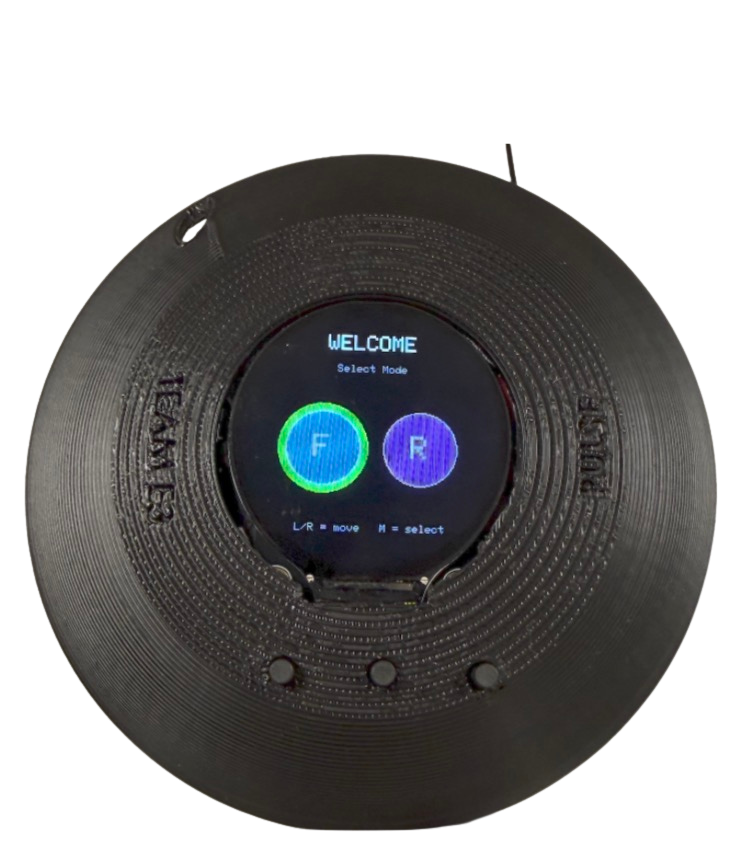
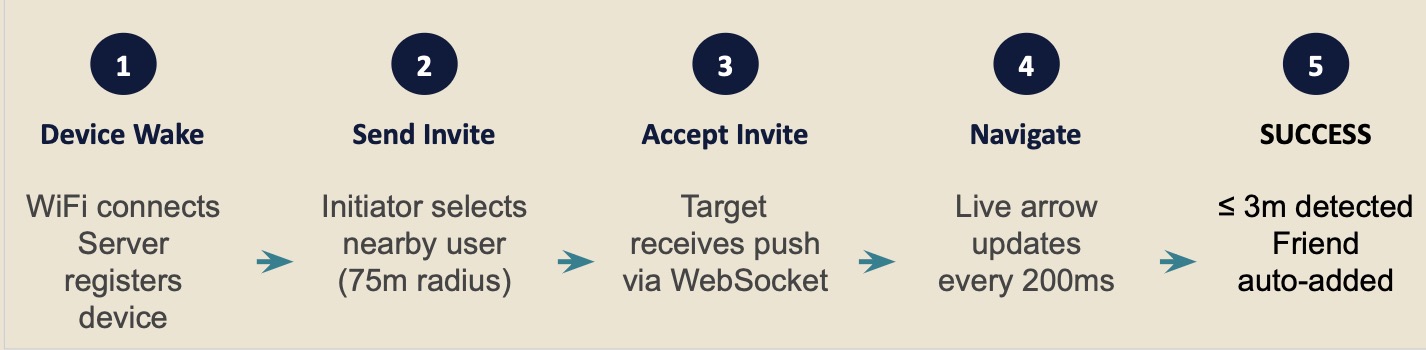
Meeting up with someone nearby still usually starts with a phone: send a message, share a location, check a map, and keep looking at the screen. We wanted to see whether a dedicated device could make that interaction simpler. Pulse detects nearby friends, lets you request a meetup, and points you toward them with a live directional arrow.
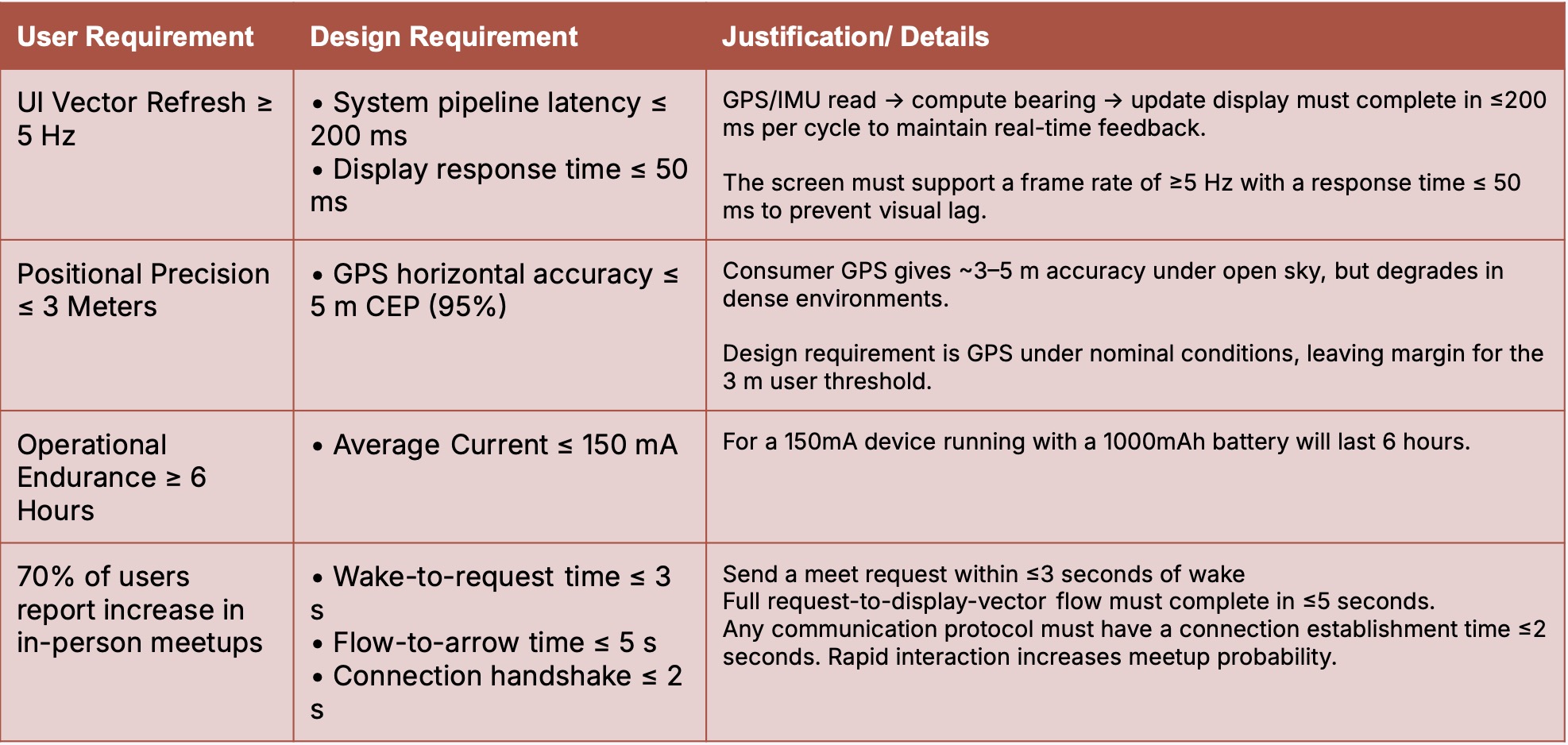
Four use-case requirements mapped to engineering specs with explicit justification, the traceability matrix that anchors every downstream design decision.
system architecture
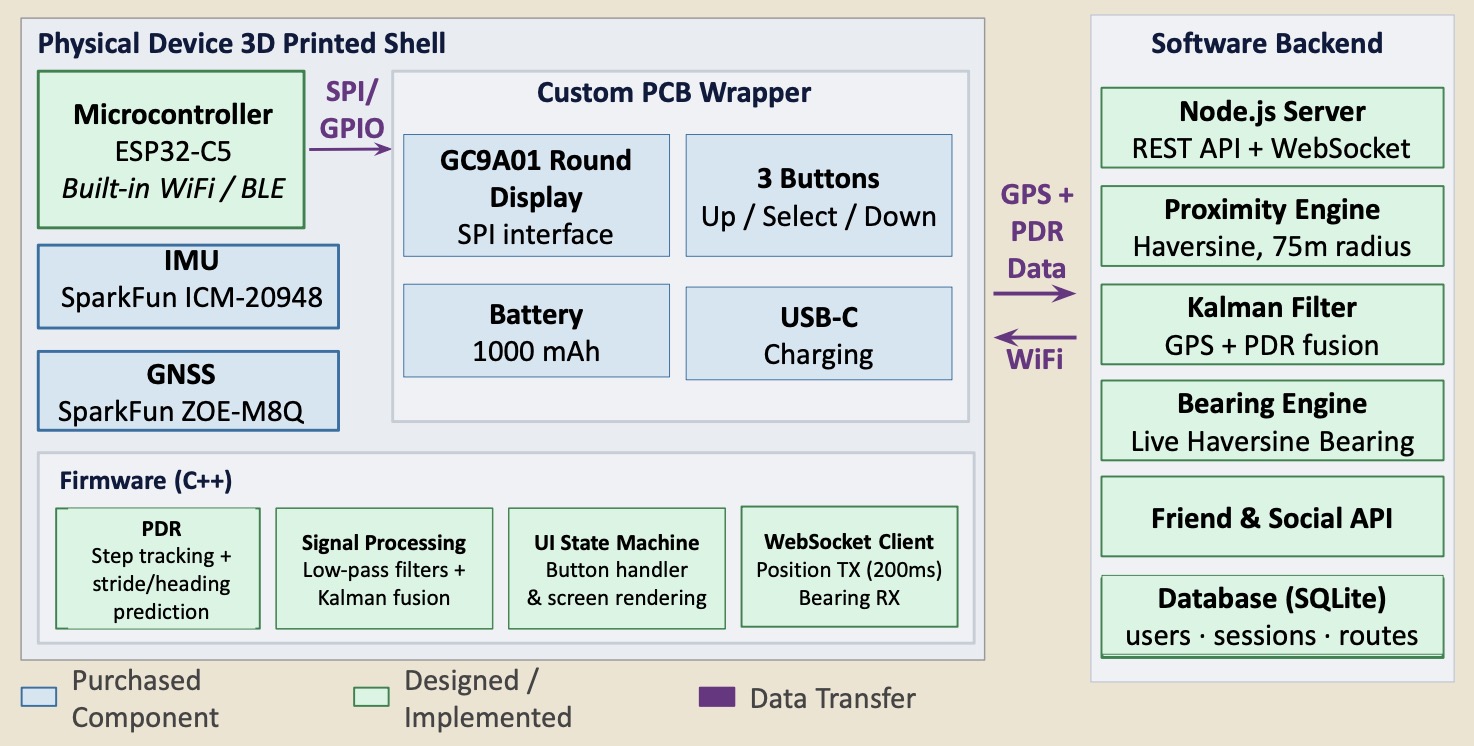
System architecture: device · firmware · server

Custom PCB, 3D-printed shell, GNSS + IMU + radio + 1000mAh LiPo.
Step detection, PDR, Kalman fusion, UI state machine on ESP32-C5.
Node.js server, WebSocket routing, SQLite store, proximity engine.
firmware & state machine
Sensor-to-display pipeline, 200ms budget
The end-to-end pipeline runs inside a single 200ms budget, from accelerometer sample to rendered arrow on the opposite device.
- Sensor read
- ≤ 5 ms
- Filter + PDR
- ≤ 15 ms
- WiFi round-trip
- ≤ 150 ms
- Render
- ≤ 25 ms
State transitions · per-state current draw
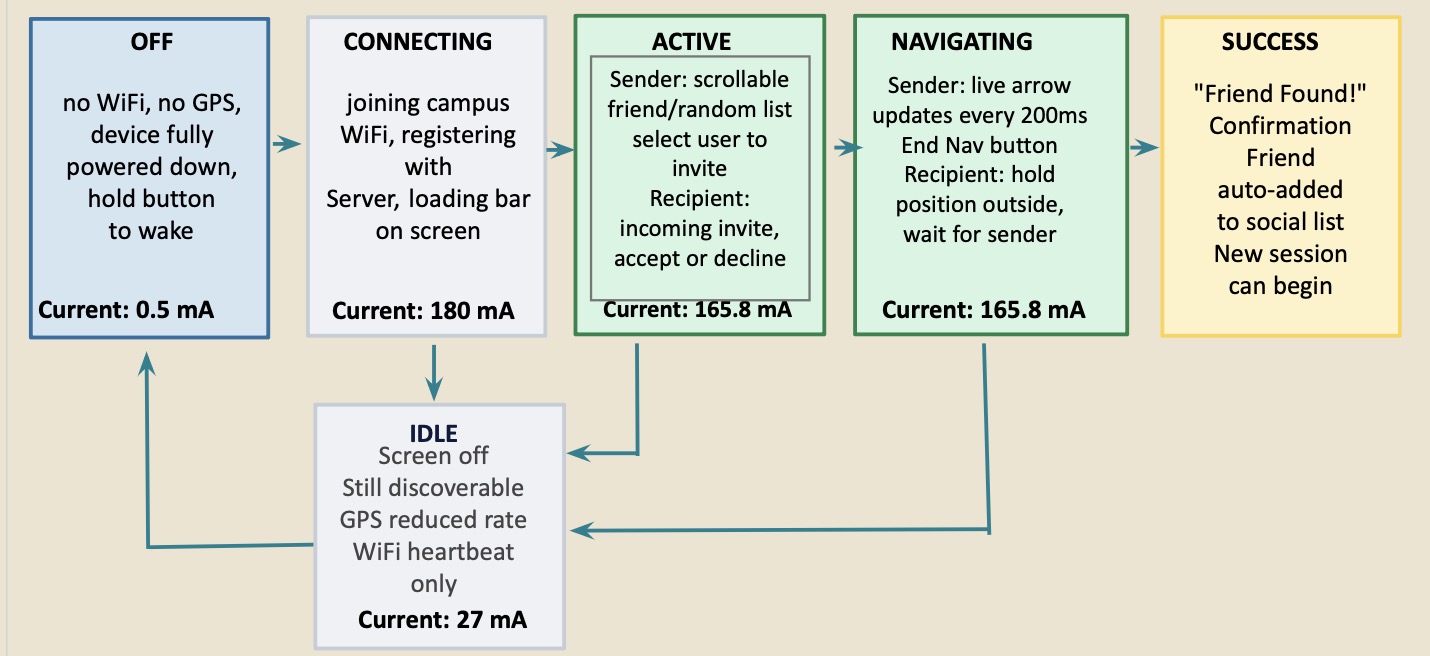
UI state machine
- OFF → power on
- CONNECTING → handshake w/ server
- ACTIVE → idle home screen
- NAVIGATING → live arrow loop
- IDLE → low-power hold
UI walkthrough
UI flow: idle → request → navigate → meetup
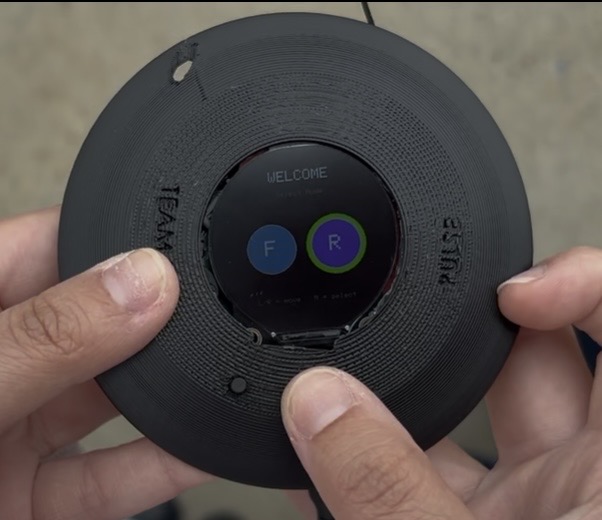
Welcome
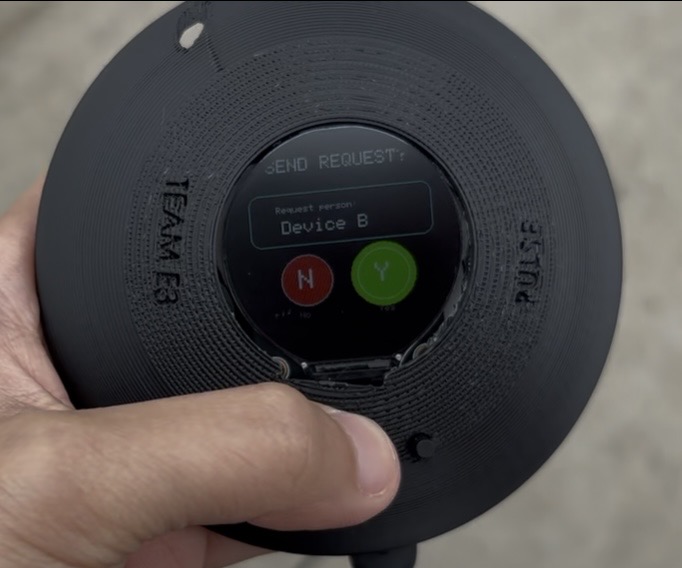
Send request
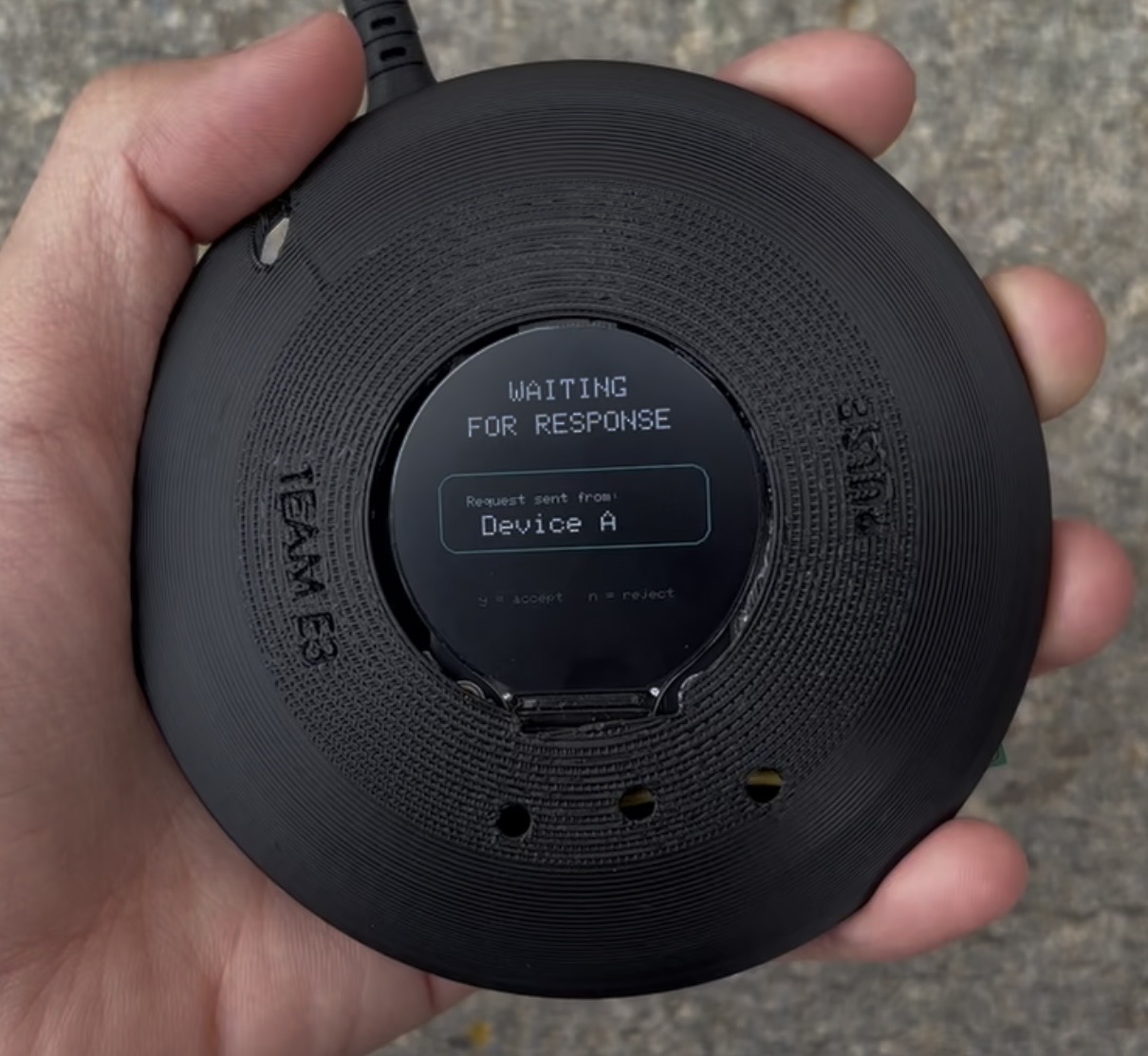
Waiting for response
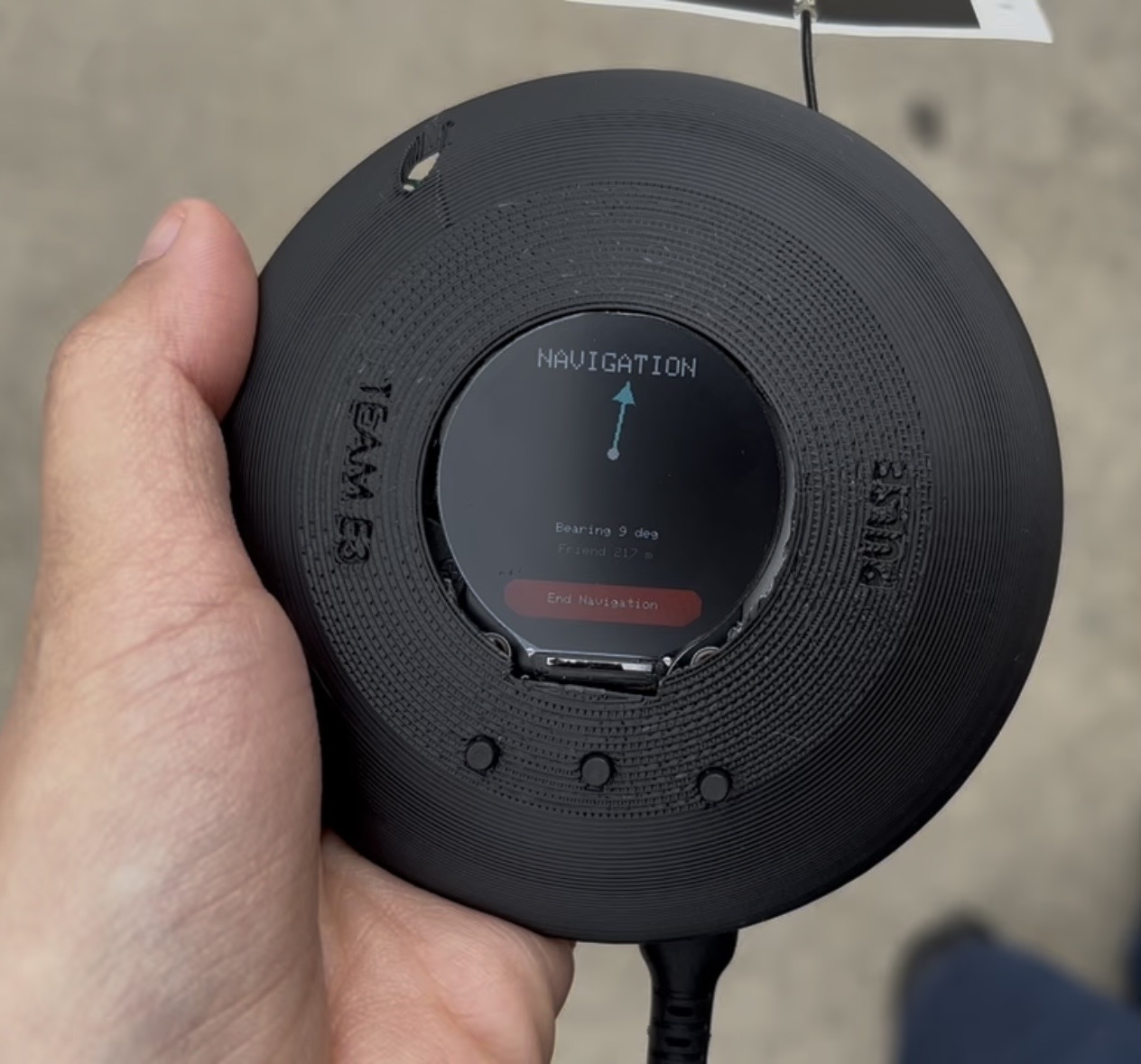
Navigating
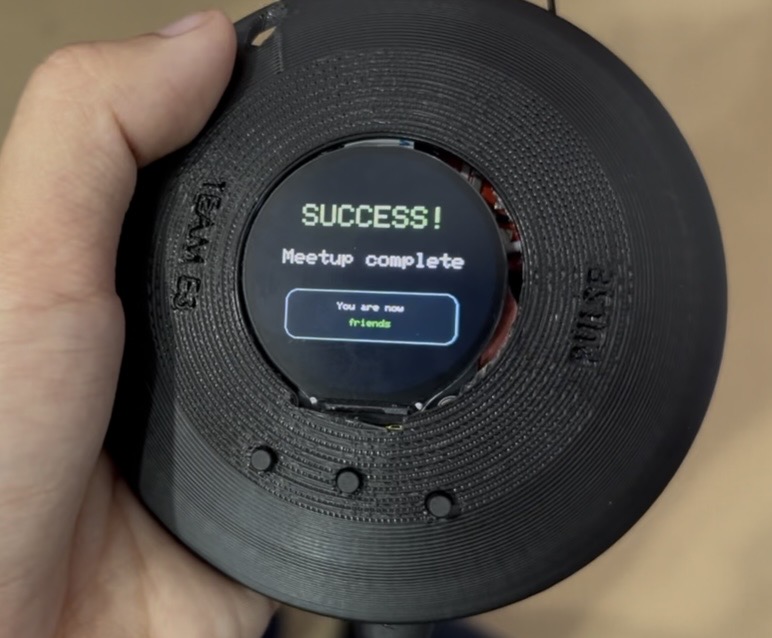
Success
testing & validation
Targets vs. measured results
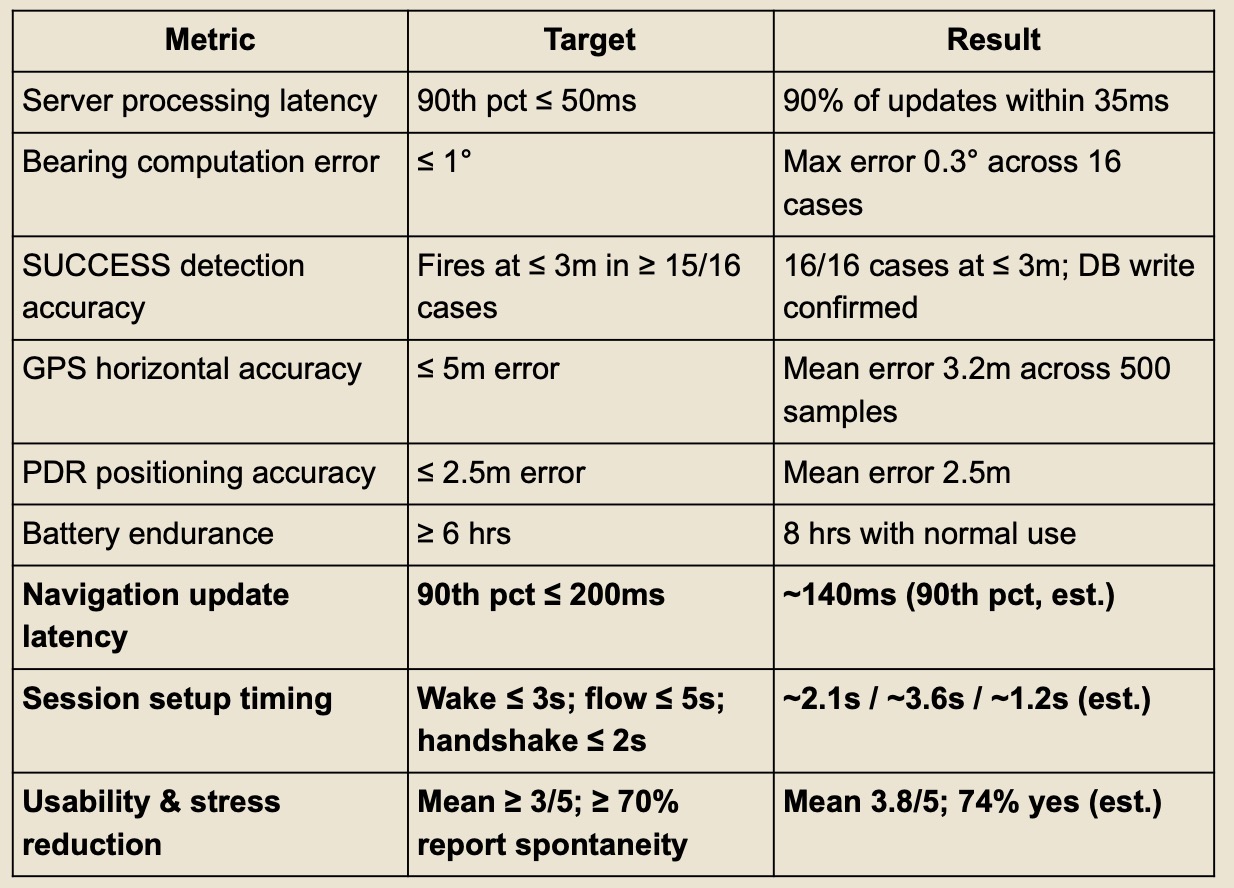
More than 40 unit, integration, and end-to-end tests across sensors, firmware, REST/WebSocket services, and the database, plus validation across 50+ multi-device scenarios covering latency, positioning accuracy, connection recovery, battery life, and complete meetup flows. Every spec passed; navigation update latency landed at ~140 ms against a 200 ms target.
risk mitigations
Failure modes and mitigations
GNSS loss
IMU-based dead reckoning bridges short gaps while GNSS accuracy is degraded.
Connection loss
Devices reconnect and recover the active meetup state instead of restarting the interaction.
Power consumption
Firmware returns devices to lower-power states when active navigation is unnecessary.
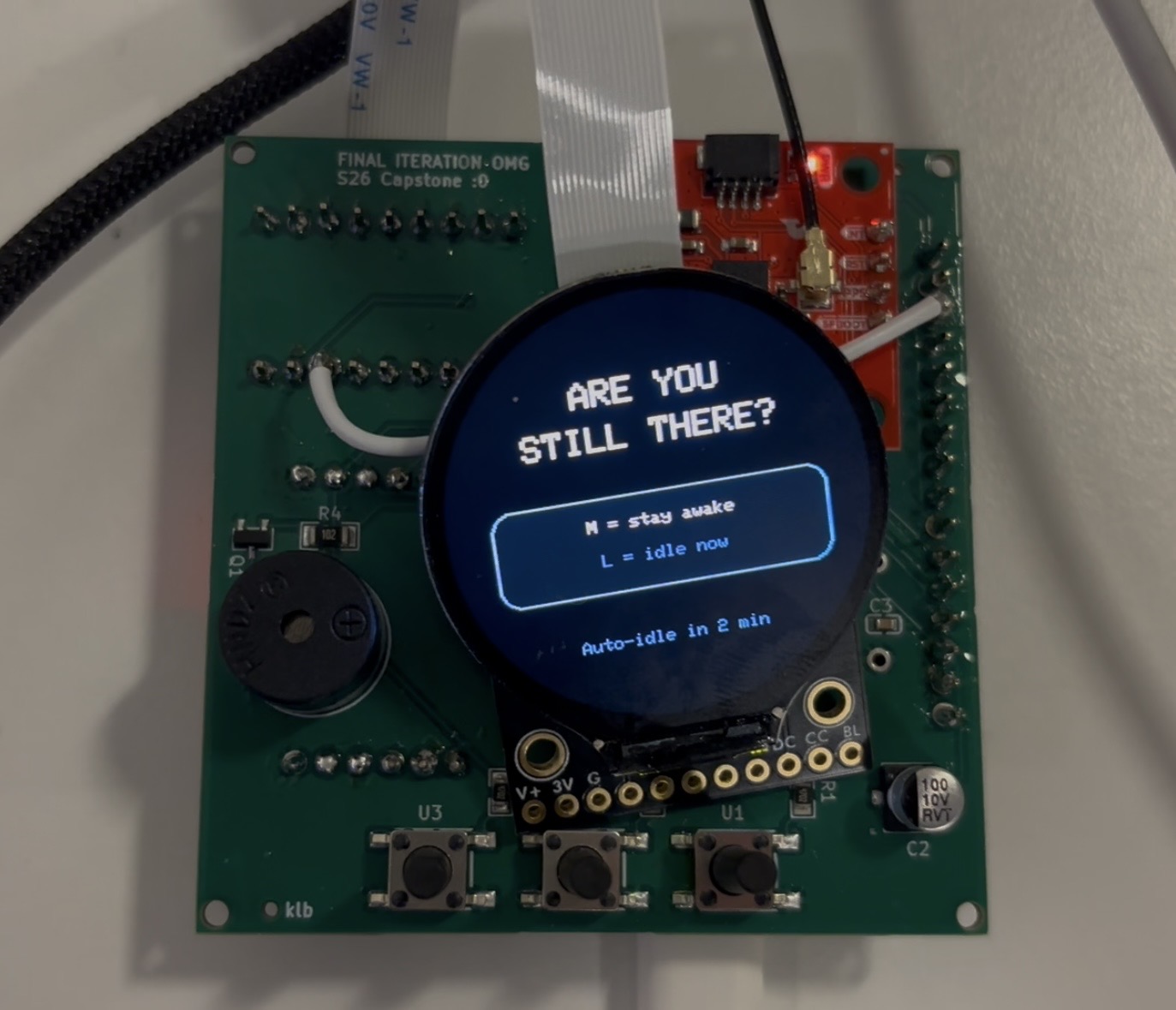
final iteration
A compass that asks to be put down
The final prototype supported real-time meetup and navigation across four physical devices, with roughly 140 ms synchronization latency and all major engineering requirements passing validation. The goal was simple: help two people find each other, then get out of the way.